Connect a merchant
The merchant does the first steps in the Kosoor dashboard and you do the rest. If the merchant has never issued a key, send them this page.
1. The merchant signs in
The merchant signs in to the Kosoor dashboard with a user that has the permission integration.api_keys.management. Without it, Developers does not appear under Settings.
2. Open Settings → Developers
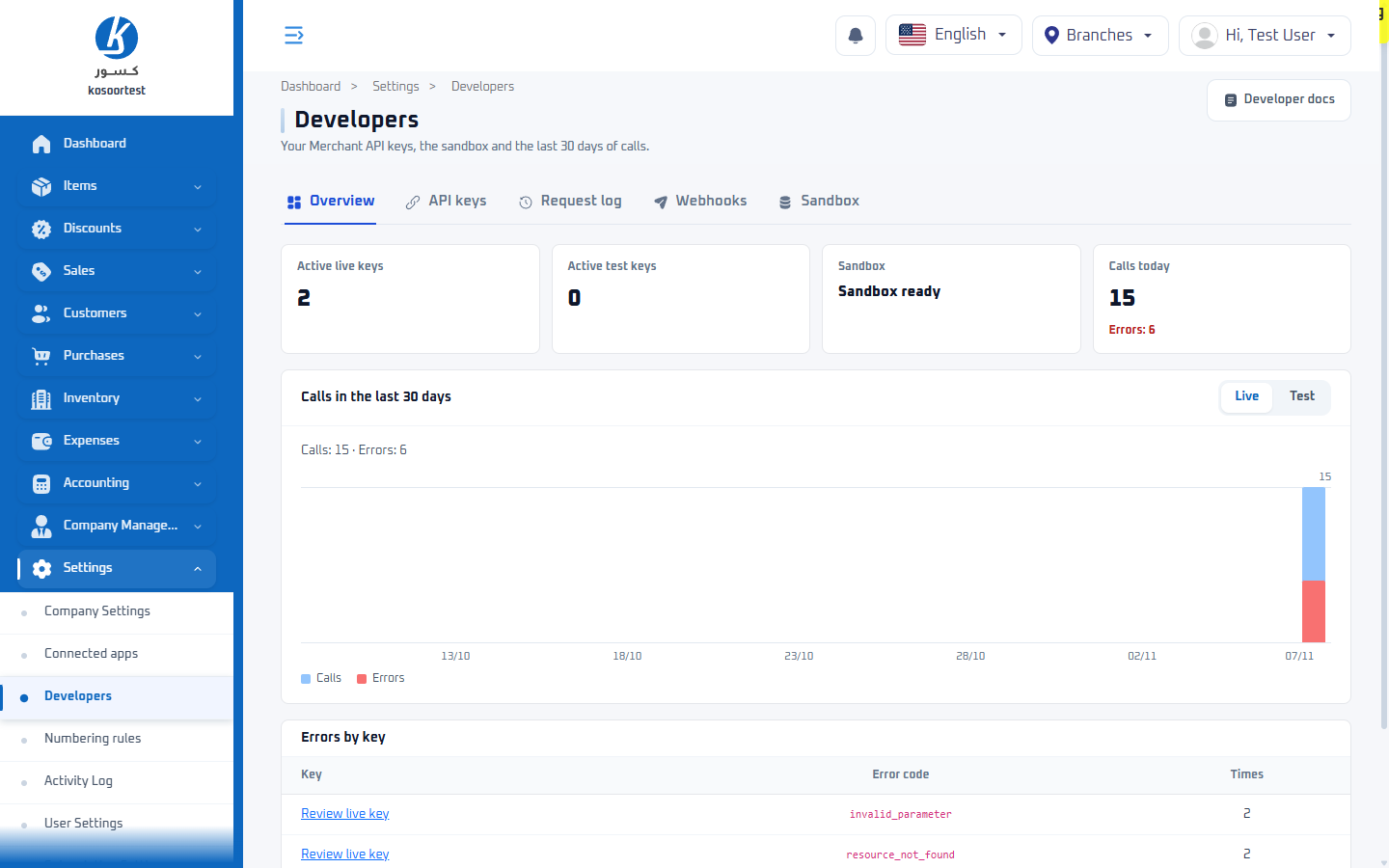
The Developers page has five tabs:
| Tab | What it holds |
|---|---|
| Overview | the merchant's keys, the sandbox, and the calls of the last 30 days |
| API keys | every key: issue, edit, revoke |
| Request log | every call a key made in the last 30 days |
| Webhooks | the endpoints keys registered, and every event sent to them; see Webhooks |
| Sandbox | the separate copy of the catalogue that test keys reach |
3. Create the sandbox
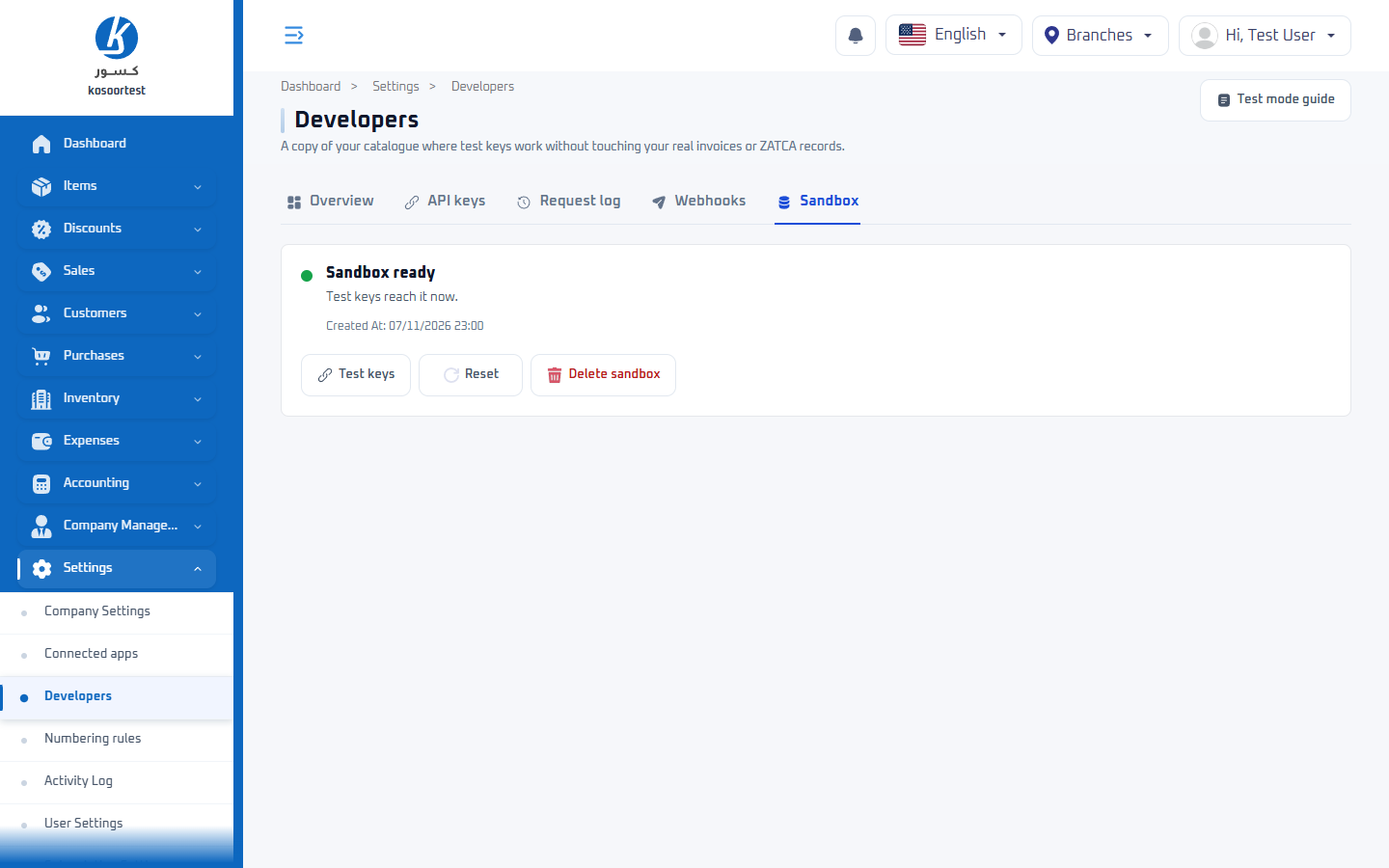
On the Sandbox tab, the merchant clicks Create sandbox. Kosoor copies the merchant's branches, items, payment methods and chart of accounts into it; customers and invoices are not copied. Preparing it takes a few minutes, and test keys answer 503 sandbox_unavailable until the tab shows Sandbox ready.
The sandbox keeps the live ids of what it copies, so a branch, item or payment method id you use in the sandbox is the same id on live data. Customers are not copied, so their ids differ.
4. Issue a test key
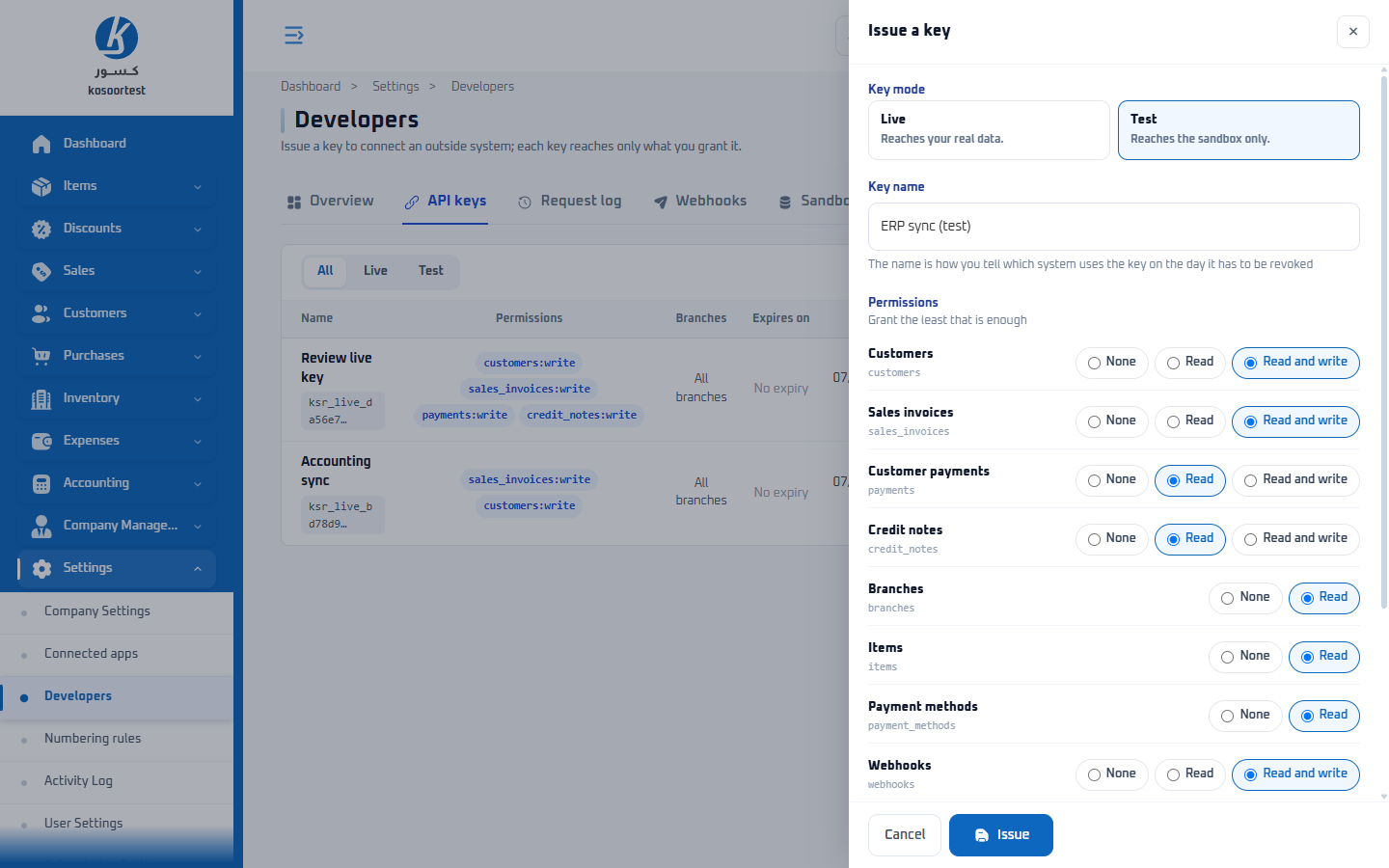
On the API keys tab, the merchant clicks Issue a key and fills in the form:
| Field | What to choose |
|---|---|
| Key mode | Test. A test key reaches the sandbox only. It can be chosen once the sandbox exists. |
| Key name | Your system's name. The name is how the merchant tells which system uses the key on the day it has to be revoked. |
| Permissions | For each resource: None, Read, or Read and write. Grant the least that is enough; the table below says what each task needs. |
| Branches | The branches the key may use. Leave all unticked and the key works in every branch. |
| Expires on | Optional. The key stops at the start of this day. Kosoor sends a reminder email 14 days and then 3 days before. |
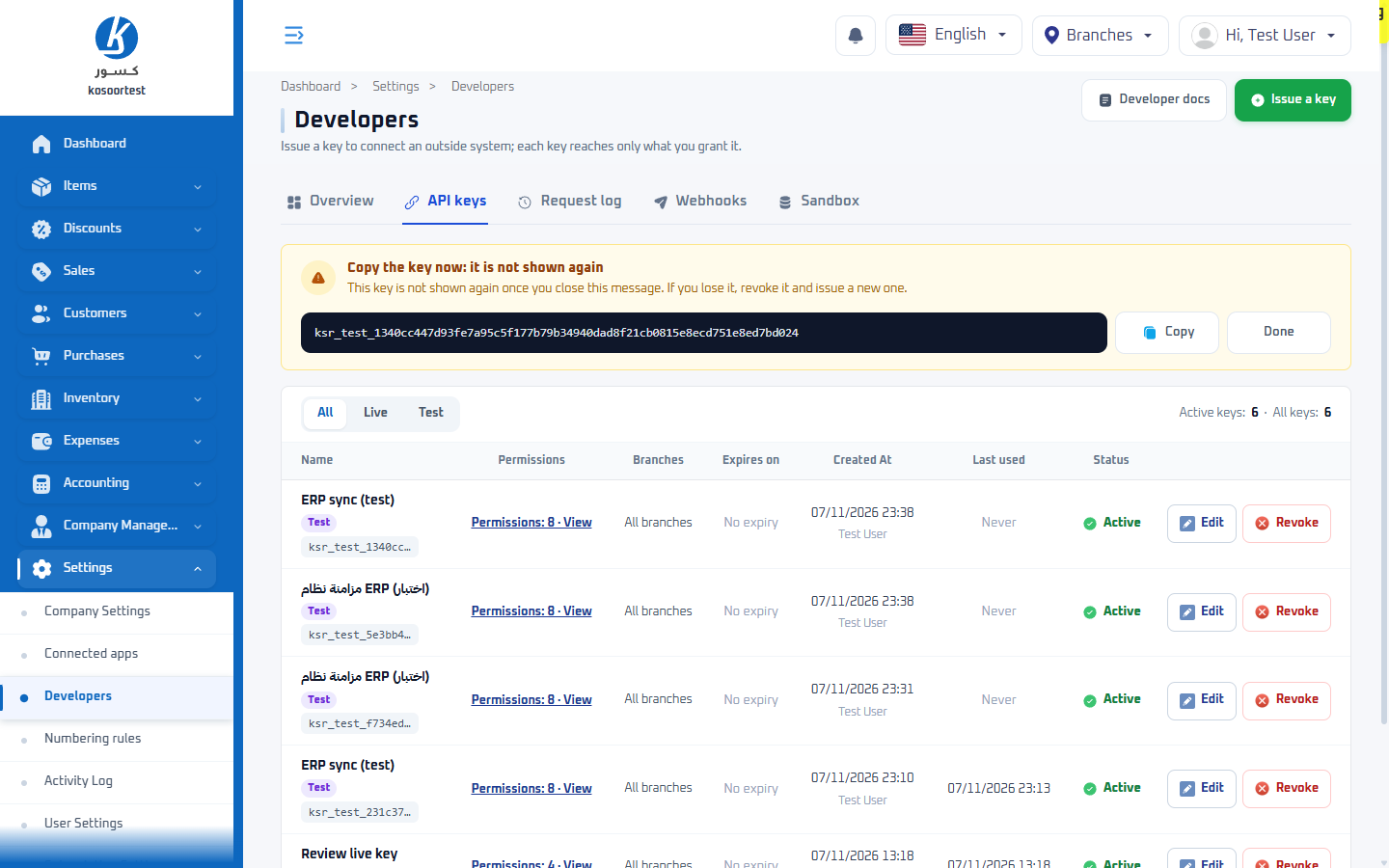
The key is shown once, with the note Copy the key now: it is not shown again. The merchant copies it and sends it to you. Once that message is closed the key cannot be shown again: if it is lost, the merchant revokes it and issues a new one. A merchant can hold at most 50 active keys of each mode.
Permissions each task needs
| To | Grant |
|---|---|
| read the catalogue: branches, items, payment methods | branches:read, items:read, payment_methods:read |
| find and create customers | customers:write |
| issue sales invoices | sales_invoices:write |
| record payments after the sale | payments:write |
| issue credit notes | credit_notes:write |
| only read, for example to mirror data into an ERP | the read level of each resource you read |
write includes read. A call without the permission it needs answers 403 missing_permission, and requiredPermission in the error names it. See Authentication.
5. Make your first call
Read one of the customers every sandbox holds, with the test key:
curl -i https://api.kosoor.com.sa/v1/customers/5a4db0c5-0000-4000-8000-000000000001 \
  -H "Authorization: Bearer ksr_test_..."
HTTP/1.1 200 OK
Content-Type: application/json; charset=utf-8
Kosoor-Mode: test
Request-Id: req_01JC3W8Z9Q4M2T7XKD5R6VBN0P
{
  "id": "5a4db0c5-0000-4000-8000-000000000001",
  "object": "customer",
  "type": "person",
  "referenceId": null,
  "firstName": "Sandbox Person",
  "lastName": null,
  "phone": "+966500000001",
  "email": null,
  "isActive": true,
  "branchId": null,
  "company": null,
  "address": {
    "street": null,
    "buildingNumber": null,
    "postalCode": null,
    "district": null,
    "city": null,
    "country": null
  },
  "metadata": {},
  "standardInvoiceMissing": null,
  "createdAt": "2026-11-07T09:12:40.513Z"
}
Kosoor-Mode: test says the call reached the sandbox. A live key's replies do not carry it.
6. Find the call in the Request log
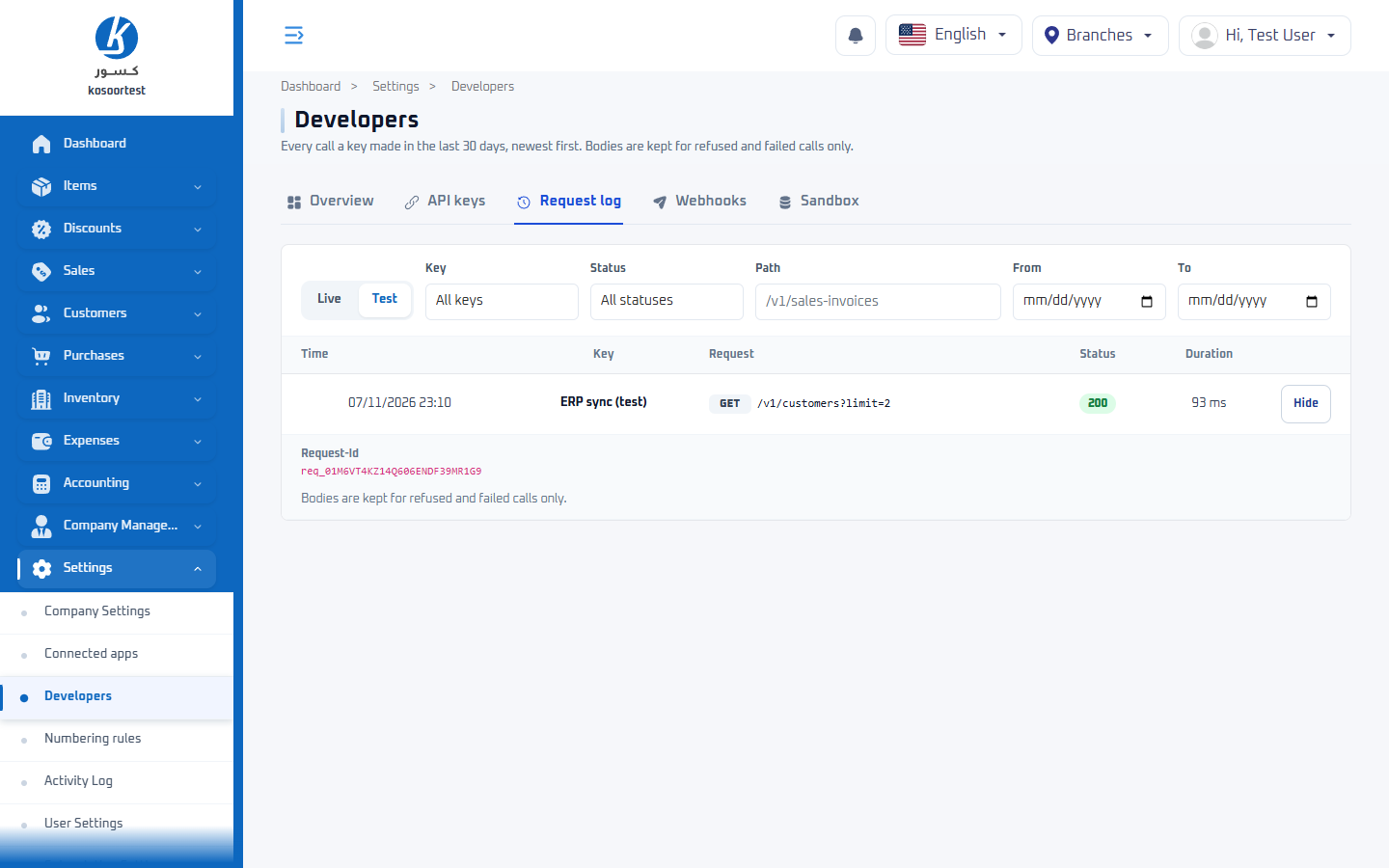
On the Request log tab, the merchant sees every call a key made in the last 30 days, newest first. It filters by key mode (Live or Test), key, status, path and date. Details shows the call's Request-Id. Request and response bodies are kept only for refused and failed calls.
7. Build in the sandbox
Build the whole flow with the test key: Record a sale, Refund or correct a sale, and whatever else your system does. The sandbox holds fixture customers with known outcomes, so you can test ZATCA rejections and other refusals without arranging the data. See Test mode.
8. Go live
When your system works in the sandbox:
- The merchant issues a second key with Key mode set to Live, the same permissions and the same branches.
- You replace the test key with the live key. Nothing else changes: same host, same paths, and the same ids for branches, items and payment methods.
- You make one real call and the merchant checks it in the Request log, under Live.
Go through the go-live checklist before the first real sale.
To stop a key, the merchant revokes it on the API keys tab. Every system using it stops at once, with 401 revoked_api_key.